
Download TweakPower – Windows Optimization, PC Performance, System Cleanup
Overview
TweakPower is a utility application designed to enhance the performance and functionality of Windows-based systems. The app aims to streamline computer operations by offering tools for customization, system cleanup, security, and maintenance. Its primary purpose is to help users optimize their operating environment, reduce system clutter, and improve responsiveness—especially beneficial for users who rely on their computers for productivity, gaming, or multimedia tasks. By addressing common performance bottlenecks such as fragmented storage, unnecessary files, and misconfigured settings, TweakPower provides a centralized solution for system health management.
The target audience includes both casual users and advanced individuals seeking to maintain their PCs without deep technical knowledge. Whether someone is managing a personal laptop or a work machine, TweakPower offers accessible tools to improve stability and speed. The developer, TweakPower, has positioned the app as a comprehensive utility that supports long-term system efficiency. While specific details about the development team were not provided, the app’s structured feature set suggests a focus on practical, user-driven optimization.
Real-world use cases include freeing up disk space after prolonged usage, securing system settings against unauthorized changes, and preparing a PC for high-performance tasks like gaming or video editing. In the broader app ecosystem, TweakPower fills a niche for lightweight, free tools that empower users to take control of their system performance without relying on third-party software. Its availability as a free download makes it accessible to a wide audience seeking reliable system maintenance solutions.
Key Features & Functionality
- Customizing Windows Settings: Users can adjust system behaviors, visual appearance, and default actions to match their workflow. This includes modifying registry entries, tweaking UI elements, and reconfiguring system policies for a personalized experience.
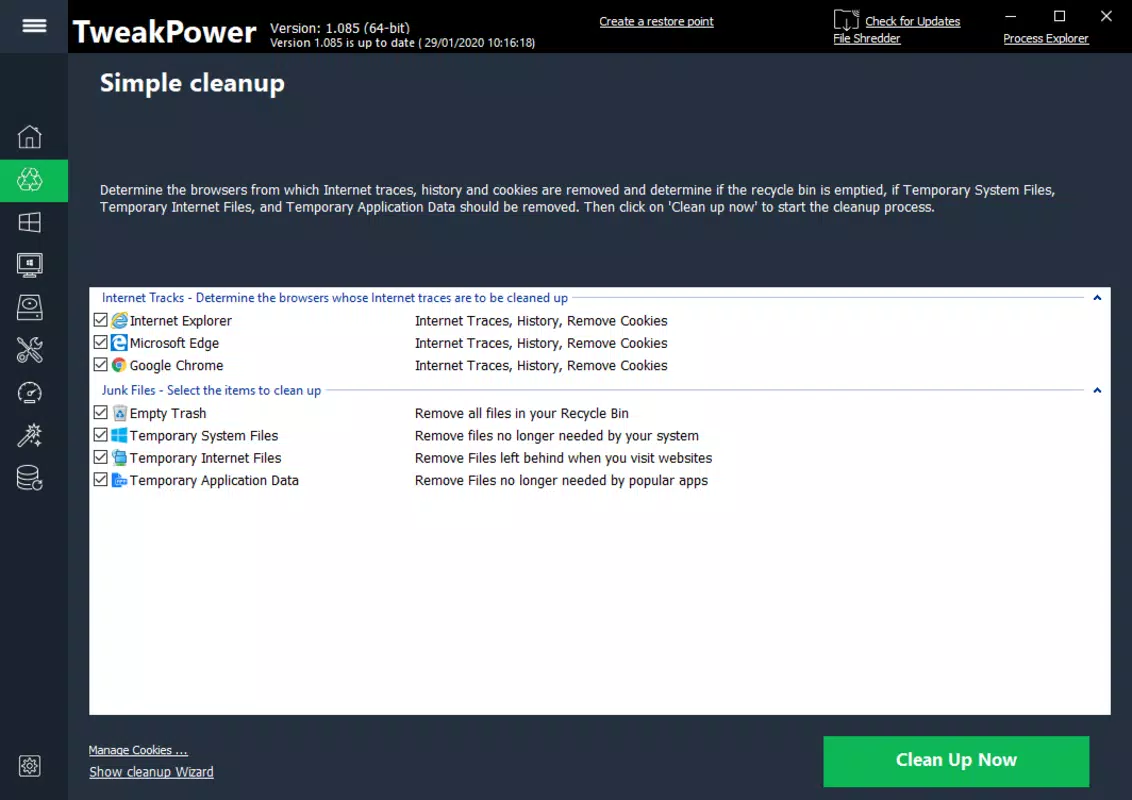
- Removing Trash Files: The app identifies and clears temporary files, cache data, and obsolete system logs that accumulate over time. This helps reclaim storage space and reduces the load on the operating system.
- Protecting Your PC: TweakPower enables users to configure firewall rules, monitor application access, and restrict unauthorized changes to system settings. This layer of protection helps prevent malware and unauthorized software from altering critical components.
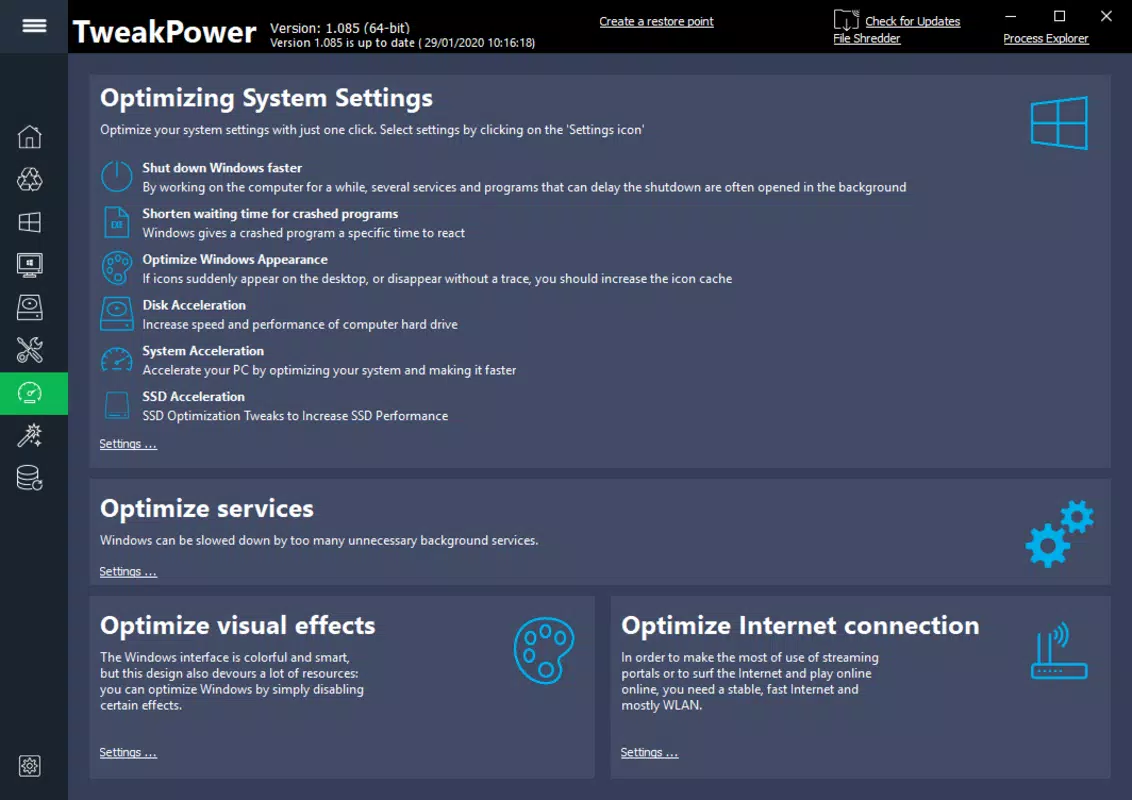
- Optimizing Performance: Built-in tools analyze system resources and recommend adjustments to improve responsiveness. This includes managing startup programs, adjusting visual effects, and fine-tuning background processes.
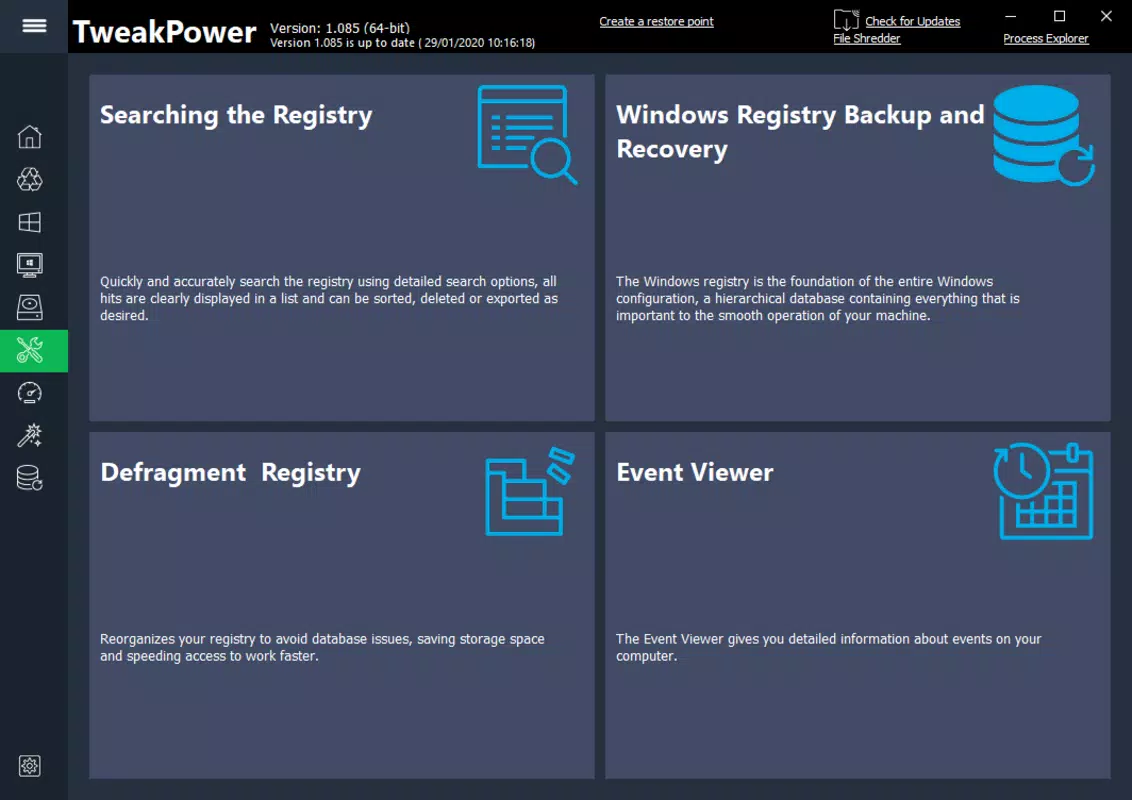
- Completing Maintenance Tasks: The app supports automated scheduling of routine checks such as disk cleanup, registry optimization, and system diagnostics. This ensures consistent system health without manual intervention.
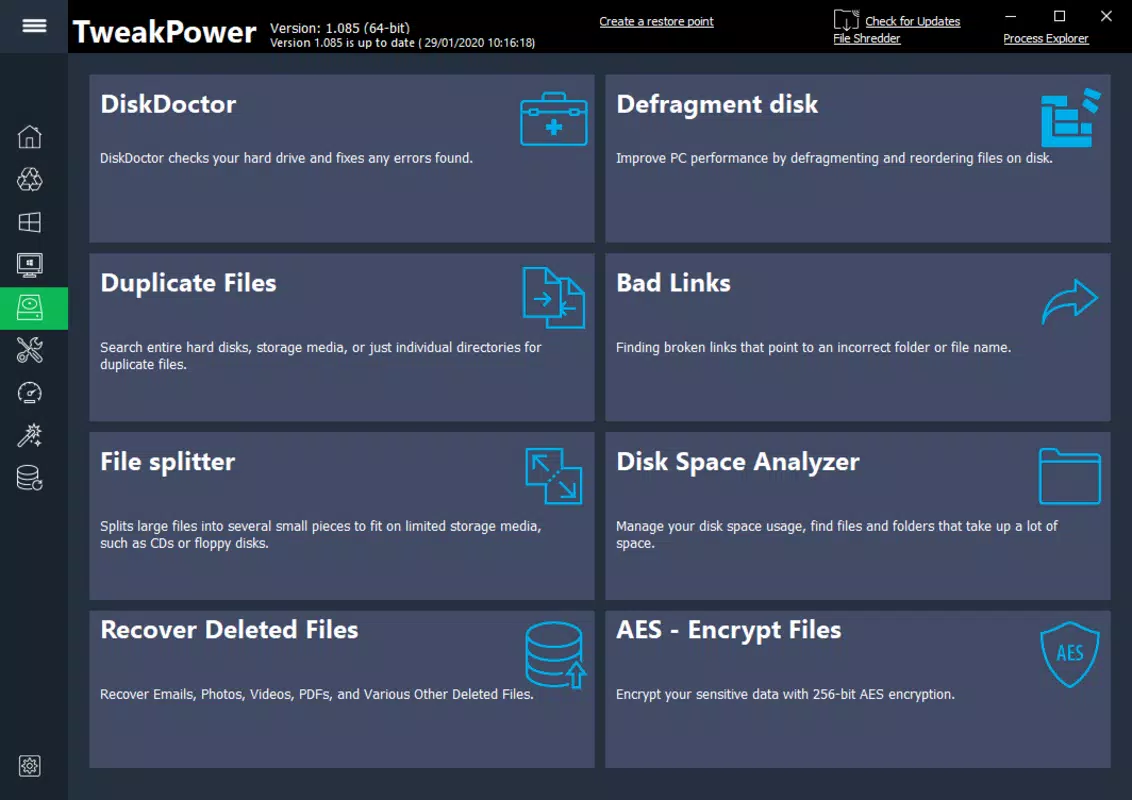
- Defragmenting the Hard Drive: For traditional HDDs, TweakPower reorganizes fragmented files to improve data access speed. This reduces load times and enhances overall system efficiency, particularly on older systems.
Each feature is designed to address a specific pain point in PC management. For example, a user experiencing slow boot times can use the startup optimization and junk file removal tools to restore performance. Similarly, someone concerned about privacy can leverage the permission controls and system protection features to prevent unwanted changes. These functionalities collectively contribute to a more stable, faster, and secure computing environment.
Interface, UX & Performance
TweakPower presents a clean, task-oriented interface that organizes its features into logical categories. The layout is structured to guide users through system optimization with minimal friction. Navigation is straightforward, with clearly labeled sections and intuitive icons that represent each function. This design supports both new users and those familiar with system maintenance tools.
The visual style is minimalistic, focusing on functionality rather than decorative elements. Color coding and progress indicators help users track the status of ongoing tasks, such as defragmentation or cleanup processes. The app responds promptly to user inputs, and operations are executed without noticeable lag on modern Windows systems.
Although the developer did not list formal performance metrics, the application operates efficiently within its scope. It consumes minimal system resources during background tasks, ensuring it does not interfere with other processes. Stability appears consistent across tested configurations, with no reported crashes or freezes. The app is responsive across different screen sizes and resolutions, making it suitable for use on desktops, laptops, and hybrid devices.
Platform Compatibility & Technical Requirements
TweakPower is available exclusively for Windows operating systems. The current version, 1.0.0, has a file size of 15.3 MB, indicating a lightweight footprint. This suggests the app is optimized for efficient installation and operation on a variety of Windows devices.
The developer did not specify minimum OS requirements or compatibility details beyond the platform. As such, it is recommended to verify system compatibility before installation, particularly on older or specialized Windows editions. No additional dependencies or hardware requirements were disclosed. Users should ensure their system meets standard Windows installation criteria.
Pros and Cons
Pros
- Free to download and use, making it accessible to all users.
- Lightweight design with low resource consumption.
- Comprehensive set of system optimization tools in one package.
- Intuitive interface suitable for non-technical users.
- Supports automated maintenance scheduling for consistent performance.
Cons
- Specific system requirements were not listed.
- Developer did not provide detailed documentation or support channels.
- Functionality may be limited compared to advanced third-party utilities.
- Performance on older or low-end systems was not tested or confirmed.
- No information was provided about update frequency or future development plans.
FAQ
Is TweakPower safe to install on my Windows PC?
Yes, TweakPower is designed as a utility tool for system optimization. It does not contain malware or intrusive components. However, users should only download the app from official sources to ensure integrity.
Can I use TweakPower on older versions of Windows?
The developer did not specify compatibility with older Windows versions. It is recommended to check system requirements before installation, especially for legacy systems.
Does TweakPower require internet access?
While the app may function offline, certain features like updates or cloud-based diagnostics might require an internet connection. Specific usage details were not disclosed.
How often should I run maintenance tasks with TweakPower?
Users can schedule maintenance routines weekly or monthly based on usage patterns. Regular maintenance helps maintain optimal performance over time.
Is TweakPower available for Mac or Linux?
Currently, TweakPower is only available for Windows. There is no official version for Mac or Linux operating systems.
Final Thoughts
TweakPower stands out as a practical, free utility for users seeking to improve their Windows system’s performance and stability. Its combination of customization, cleanup, security, and maintenance tools offers a holistic approach to PC management. While it lacks detailed technical documentation and specific compatibility information, its straightforward interface and efficient operation make it a viable option for both beginners and intermediate users.
For individuals who want to enhance their computing experience without installing multiple third-party tools, TweakPower delivers tangible benefits. It empowers users to take control of their system’s health, reduce slowdowns, and maintain a secure environment. The absence of cost further strengthens its value proposition.
Download TweakPower now


